Introduction
A dashboard can look sharp and still fail at its actual job. Users click through five screens hunting for one metric, hit dense forms that reject input without explanation, or give up and call support instead.
UI/UX design determines whether people can complete tasks clearly, efficiently, and with confidence. Looking polished is a side effect, not the goal.
Many product teams blur the two disciplines together. UX design addresses the broader experience and functionality: research, workflows, and structure. UI design shapes the visible, interactive layer: layout, typography, and controls.
This guide covers what UI/UX designers actually do, how the design process runs from discovery through implementation, which engagement options exist, and how to choose the right design support for a complex B2B product.
Key Takeaways
- UX covers needs, workflows, research, and structure; UI shapes the visual and interactive layer.
- Effective UI/UX ties user needs to product, technical, accessibility, and business goals.
- Research, prototyping, and usability testing should drive visual decisions, not the reverse.
- Vet designers on product experience, research depth, accessibility skill, and implementation support.
What UI/UX Designers Do
A UI/UX designer's job is to make a digital product easier to understand, navigate, use, and maintain, while translating what users and the business actually need into concrete product decisions. That's a wider scope than making things look nice.
Core UX Responsibilities
UX work mostly happens before any pixels get placed:
- Conducting user interviews and stakeholder discovery sessions
- Analyzing workflows to find where people get stuck
- Building information architecture and user journeys
- Creating personas when a product genuinely serves different user types
- Producing wireframes and prototypes to test ideas cheaply
- Running usability tests before a direction gets locked into development
Core UI Responsibilities
UI work turns validated structure into a working interface:
- Layout, typography, color, and spacing decisions
- Component states, including hover, error, loading, and disabled
- Navigation patterns and interaction design
- Responsive behavior across devices
- Visual consistency through a shared design system
Neither layer works alone. A beautifully typeset screen that buries the button someone needs is still a UX failure with good clothes on.
Designers rarely work in isolation, either. They sit between product managers, subject-matter experts, engineers, marketing teams, and executives. In that seat they clarify requirements and resolve trade-offs before a single line of code ships. That coordination role often matters as much as the design output itself.
A B2B example: When Yes Yes Know worked with the cybersecurity firm ThreatX, the problem wasn't a lack of data. It was too much of it, scattered across a dashboard that CISOs and SOC analysts couldn't parse fast enough during an active threat.
The team ran design workshops with those stakeholders, then reorganized the interface around a left navigation rail, summary metric cards, an analytics panel, and a detailed data grid. They validated the redesign with the people who'd actually rely on it under pressure. That sequence, research first, structure second, visual polish last, is the pattern behind most credible B2B design work.

UI vs. UX vs. Product Design
| Discipline | Primary focus |
|---|---|
| UX design | How the experience works: research, structure, workflows |
| UI design | How the interface looks and behaves: screens, controls |
| Product design | Both, plus product strategy and business considerations |
Job titles blur these lines constantly. A "UX/UI Designer" posting might describe a generalist handling everything from research to visual polish. Or it might sit inside a larger team where a researcher, an information architect, and a visual designer each own a slice. Ask what's actually included before assuming.
Some organizations staff one generalist per project. Others split roles across specialists and a developer who handles implementation. Yes Yes Know's team, for instance, pairs UX design consultants with a dedicated development lead and accessibility expertise.
UX and UI aren't strictly sequential, even though research and problem definition typically inform structure before visual design begins. Iteration runs both directions: interaction details can surface usability questions that send a team back to the workflow.
NN/g's research on complex application users found that designing only for assumed "power users" often misses the range of workflows real people actually run. That's a structural finding, not a visual one—and why skipping to interface polish on complex software is a costly shortcut.
Not the Same as Graphic Design
UI/UX design differs from graphic design in what it optimizes for. Graphic design communicates visually, often as a static piece, like a poster or a logo. UI/UX design deals with interaction, task completion, accessibility, system feedback, and how a product holds up across months of repeated use. A logo doesn't need an error state. A form does.
The UI/UX Design Process
Discovery and Research
A solid process starts by defining the actual business challenge, not the assumed one. That means identifying user groups, reviewing analytics or support tickets, interviewing stakeholders, and researching how people really behave.
Skipping this step gets expensive later. NN/g's documented intranet redesign involved 14 stakeholder interviews, a 152-response survey, and a 90-person beta test. That process caught search and navigation problems before launch, not after, when fixes cost far more in engineering time and user frustration.
Synthesis and Experience Strategy
Teams organize findings into prioritized needs, mapped workflows, and a defined information architecture. They identify task dependencies and agree on measurable goals. The discipline here: treat assumptions as assumptions until research confirms them.
Wireframing and Prototyping
Rough structural concepts become interactive prototypes. Teams explore navigation, content hierarchy, forms, dashboards, and key task flows before anyone commits to production code, which is the cheapest point in the process to be wrong.
UI Design and Design Systems
This stage establishes:
- Accessible visual patterns and color contrast that meet WCAG standards
- Reusable components with defined interaction states
- Responsive rules across breakpoints
- Content guidance for a consistent voice
- Developer-ready specifications
A design system isn't decoration. It's what keeps a product's fifteenth screen as usable as its first.
Validation, Implementation, and Iteration
Teams test prototypes or working features with representative users, then document and prioritize issues. Designers stay involved during development to answer implementation questions, and accessibility checks happen before launch, not as an afterthought.
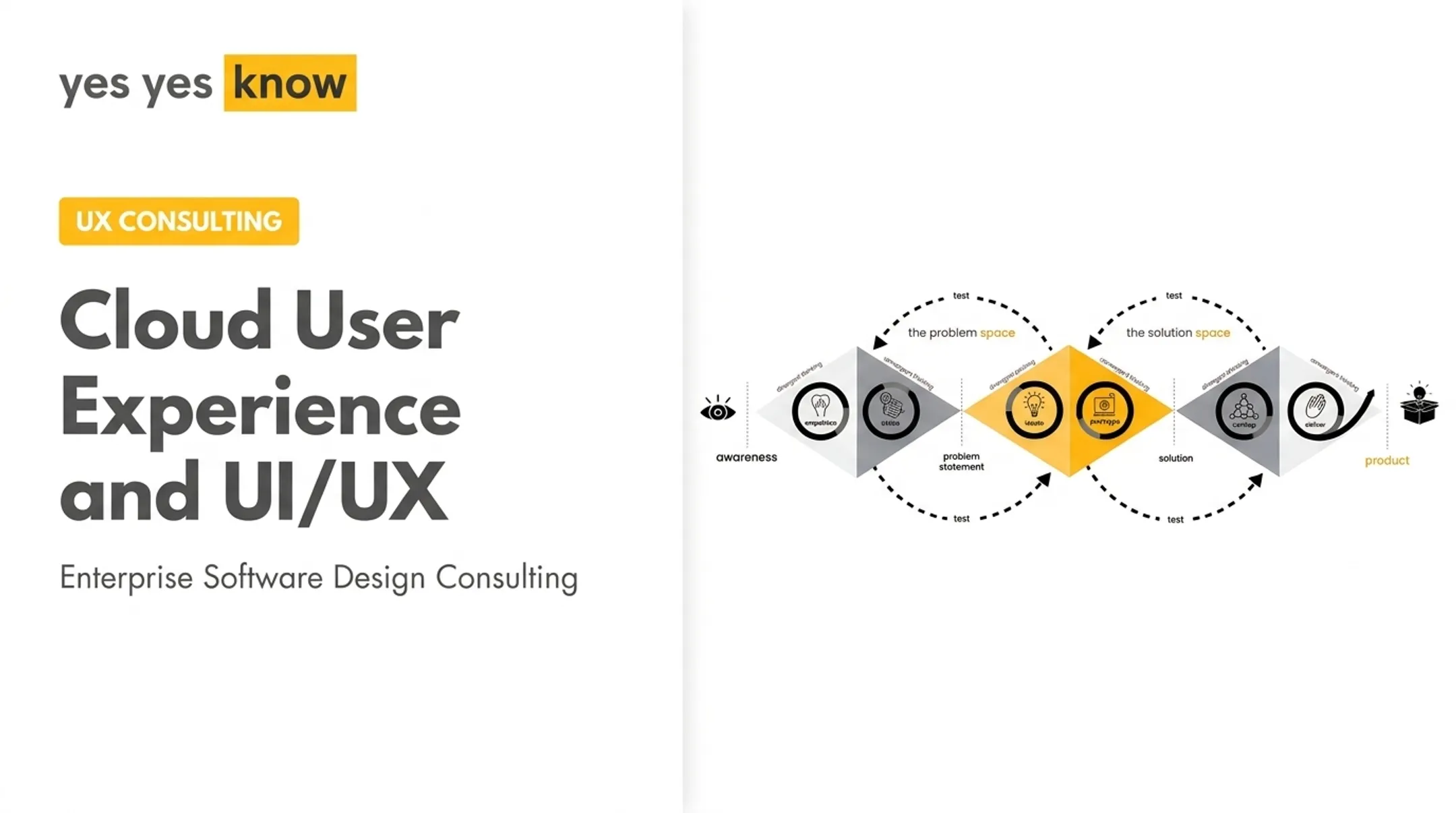
Yes Yes Know structures this arc into three phases: Understanding, Designing, and Building. Accessibility is built into every phase rather than bolted on at the end. For one client exploring an AI customer-service feature, the team tested usefulness, trust, tone, and timing through a Wizard of Oz simulation and a Figma prototype, gathering real signal before a developer wrote any code.

When to Hire a UI/UX Designer or Design Partner
Signs You Need Outside Design Support
Common triggers include:
- Confusing workflows generating repeated support tickets
- Design debt piling up after years of fast feature shipping
- A planned redesign or product expansion
- Accessibility or VPAT requirements tied to a procurement deal
- Limited internal design capacity during a growth push
- Internal disagreement about product direction with no research to settle it
Internal Hire, Freelancer, or Agency?
| Option | Best fit |
|---|---|
| Internal designer | Sustained product context, ongoing iteration |
| Freelancer | A focused, well-scoped project |
| Specialized agency | Research, strategy, UI, accessibility, and development in one engagement |
| Cost varies by scope, seniority, project complexity, engagement model, and deliverables. No single number fits every engagement. | |
| For context, the U.S. Bureau of Labor Statistics reports a median annual wage of $104,000 for the broader "web and digital interface designers" occupation as of May 2025. That figure is a salary for employed designers, not a freelance rate or agency project quote. Get a written, scoped proposal before comparing numbers. |
Where Yes Yes Know Fits
For B2B software teams managing data-heavy dashboards, enterprise workflows, or cybersecurity and fintech products, Yes Yes Know works as a research-led, accessibility-focused design partner. Every engagement starts with an audit covering goals, team composition, and existing UX processes before moving into design or development. That audit-first model helps teams who aren't sure yet whether they need a full redesign or a few targeted fixes:

- Flat-fee UX audit: Reviews up to five core user flows and returns severity-rated findings
- Accessibility audit: Covers WCAG 2.2 AA and delivers a report within 10 business days Both validate designs with actual users rather than internal opinion. When implementation support is part of the ask, work connects to an in-house development team.
Frequently Asked Questions
What does a UI/UX designer do?
A UI/UX designer combines research, information architecture, wireframing, prototyping, usability testing, and interface design into one role. Some teams split these responsibilities among specialists instead.
What is user experience in software?
Software UX is the complete experience of using a product: how easily people find things, complete tasks, get feedback, and work around barriers. It includes accessibility and how confident someone feels using the tool, not just how it looks.
What are UI/UX design services?
Common services include UX audits, research, wireframing, prototyping, UI design, usability testing, accessibility reviews, and design-to-development support. Providers rarely bundle every service, so confirm what you're buying.
How much does it cost to hire a UI/UX designer?
Cost depends on scope, seniority, research needs, product complexity, and whether you pay hourly, per project, or on retainer. Get a written scope before comparing quotes; salary averages rarely match agency pricing.
What are the top UI design tools?
Figma, Sketch, Axure RP, Balsamiq, and ProtoPie each fit different jobs: collaborative UI layout, low-fidelity wireframes, or interaction-heavy prototypes. Pick based on fidelity and developer handoff needs, not popularity.