Introduction
Most B2B software teams treat UX as a coat of paint applied right before launch. That approach backfires. A real UX design strategy gives teams a reasoned path from user problems and business goals to product decisions, long before a single screen gets designed.
Enterprise and B2B teams hit specific friction points:
- Fragmented workflows across roles
- Inconsistent interfaces stitched together over years
- Feature-heavy products nobody fully understands
- Accessibility gaps that create legal risk
- Design decisions made on gut feeling instead of evidence
Forrester's 2023 CRM research found this tension clearly: adoption rates reached 70% for customer service tools and 62-64% for sales and marketing automation, yet overall satisfaction with those same tools stayed low.
This article breaks down what actually belongs in a UX strategy, the principles that should guide it, and a practical process for building, testing, and maintaining one over time.
Key Takeaways
- UX design strategy aligns user needs, business goals, technical limits, and measurable outcomes in one plan
- Anchor the plan on three parts: experience vision, goals with measures, and a flexible execution roadmap
- Keep the strategy research-led, accessible, outcome-focused, and ready to adapt as the product evolves
- Use principles for daily design choices; use strategy to set priorities and define what success looks like
What Is UX Design Strategy?
UX design strategy is a decision-making framework. It describes the experience you want users to have, the outcomes that experience needs to support, and the coordinated work required to get there.
The Nielsen Norman Group defines it as a plan of action to reach an improved future state of the organization's user experience over a set period, built from a vision, goals and measures, and a plan.
That's a different job than product strategy or UI design, even though the three get confused constantly.
- Product strategy decides what the business will build and why: the market bet, the roadmap of features, the business case
- UX strategy defines how the experience should work for the people using it, and what evidence supports that direction
- UI design translates those decisions into actual screens, components, and interaction details
At Yes Yes Know, this distinction shapes how engagements start. Every project begins with an audit that looks at organizational goals, team composition, and existing UX processes, because strategy work only makes sense once you understand what a team is actually trying to achieve.
Strategy isn't reserved for full platform overhauls. It's just as useful for a single workflow redesign as it is for an entire SaaS product or organization-wide experience program. The scope changes; the underlying discipline doesn't.
Core Components of a UX Design Strategy
A UX strategy isn't one document or deliverable. It's a set of interlocking pieces that keep design decisions tied to evidence and business reality.

Vision and Experience Direction
A UX vision describes the future experience your organization wants users to have and the value that experience delivers. It needs to be specific enough to guide real decisions, but broad enough to flex across products, roles, and touchpoints as the product grows.
Good visions often include experience principles or positioning statements naming the qualities that matter most:
- Clarity over cleverness
- Trust and predictability
- User control over automation
- Speed without sacrificing accuracy
- Transparency in how the system behaves
Goals, Outcomes, and Measures
A vision without measures is just a mood board. UX goals need to connect directly to business outcomes: adoption, task completion, retention, reduced support demand, operational efficiency, and customer satisfaction.
McKinsey's five-year study of 300 public companies found that top-quartile performers on its Design Index posted 32 percentage points higher revenue growth and 56 percentage points higher shareholder returns than their industry peers.
That result is a correlation, not a guarantee. Still, it is a strong signal that design maturity tracks with business performance.
Translate broad goals into a mix of measures, not a single number:
- Task success rates and error frequency
- Usability testing findings
- Product usage and adoption trends
- Support ticket volume and themes
- Direct user feedback and satisfaction scores
Jen Bullard, founder of Yes Yes Know, sees the same pattern in practice: well-designed products generate fewer support tickets, and intuitive interfaces cut the need for heavy training docs. That outcome shows up when goals and measures are built into the strategy from day one.
Research and Evidence
Assumptions are strategy's biggest liability. Stakeholder interviews, user interviews, behavioral analytics, support tickets, usability testing, accessibility evaluations, and competitive research all expose the gaps between what teams assume and what's actually true.
B2B products carry extra research complexity:
- Multiple roles with different permissions and goals
- Specialist workflows that don't map to consumer patterns
- Data-heavy screens where information density is the core challenge
- Wide gaps in technical expertise across the user base
Triangulating qualitative and quantitative evidence matters here. Analytics tell you what users do; interviews tell you why. You need both to prioritize correctly.
Strategic Plan and Roadmap
The plan converts vision and goals into prioritized focus areas — with owners, dependencies, timing, and validation checkpoints attached. A roadmap should communicate direction and sequencing without pretending every decision can be mapped out in advance.
Useful prioritization criteria include:
- User impact and business value
- Accessibility risk
- Technical feasibility
- Confidence level in supporting evidence
- Effort required to ship
Business Strategy, Value, and Feasibility
Jaime Levy's widely cited formula frames UX strategy as the combination of business strategy, value innovation, validated user research, and effective UX design. Differentiation only matters if it creates real value for users, stays viable for the business, and remains maintainable for the team building it.
Engineering, content, accessibility, security, procurement, and operations should shape the strategy early. Bring those constraints in after design is finished, and they become blockers.
Essential UX Design Strategy Principles
Components tell you what a strategy contains. Principles tell you how to make decisions inside it.
Start With Real User Needs, Not Assumed Solutions
Frame problems around user goals, behaviors, and barriers before proposing a feature or interface change. Validate assumptions with representative users, and document what evidence backs each major decision. If nobody can point to why a feature exists, that's worth investigating.
Design for Accessibility and Inclusion From the Beginning
Accessibility should be a core quality standard across research, information architecture, interaction design, content, development, and testing, not a final review step. The regulatory landscape reinforces this urgency. The DOJ's 2024 rule under ADA Title II adopted WCAG 2.1 Level AA as its technical standard for state and local government digital services, with compliance dates now extended to 2027 and 2028 depending on jurisdiction size. Accessible design improves clarity and usability for everyone, not only users with disabilities, and it also reduces legal risk. Teams that bake accessibility in early still need a clear baseline. Yes Yes Know's flat-fee accessibility audit is priced at $5,000 and delivered within 10 business days. It evaluates products against WCAG 2.2 AA with automated tools, manual testing in screen readers like NVDA or VoiceOver, and keyboard-only navigation review.

Prioritize Function, Clarity, and Trust Before Visual Novelty
Navigation, information hierarchy, feedback, error recovery, and predictable interaction patterns need to work before decorative styling gets attention. In data-heavy B2B interfaces, users typically value visibility and control far more than visual trends. A polished dashboard that hides the number a compliance officer needs creates real operational risk.
Make Decisions Consistent but Context-Sensitive
Reusable patterns, design systems, and content standards reduce cognitive load and design debt. But consistency shouldn't mean applying the same pattern mechanically when user goals, device context, or accessibility needs differ. A pattern that works on a desktop dashboard might fail entirely for a field technician on a phone.
Design, Test, Learn, and Adapt Continuously
Prototyping and usability testing reduce uncertainty throughout the process; they are not just final approval steps. Starburst Data's work with usability testing and product strategy cut cloud-solution setup time from 3 hours to 3 minutes through iterative testing rather than a single design pass. Research findings, analytics, and support feedback should continuously update the roadmap. And be wary of treating any popular framework as universal law. Principles exist to support evidence-based judgment, not replace it.
How to Create and Apply a UX Design Strategy
A usable UX design strategy is built in sequence. Treat it as a working system you refine, not a one-off workshop deliverable.
Establish the Current State and Strategic Context
Start by gathering evidence from multiple sources:
- Stakeholder interviews
- Product and UX audits
- Analytics review
- Competitive analysis
- Accessibility evaluation
- Customer-support themes
Then document users, business objectives, technical constraints, existing design debt, and your highest-risk assumptions.
Define the Users, Problems, and Experience Vision
Build personas, journey maps, or workflow models from observed behavior rather than demographic guesswork. Follow that with a concise UX vision that names the users it serves and how the experience supports the business.
Identify Opportunities and Prioritize Outcomes
Cluster findings into recurring pain points, unmet needs, and accessibility barriers. Rank them by:
- User impact: how many people are affected, and how often
- Business value: revenue, retention, or cost implications
- Feasibility and risk: technical and accessibility constraints
- Confidence: strength of the supporting evidence
- Effort: what it actually takes to ship
Feature volume alone tells you nothing about impact. A product with fifty features and three that actually get used needs prioritization, not more features.
Translate Strategy Into Structure and Tested Design
Turn priority opportunities into information architecture, user flows, content requirements, and prototypes. Test critical workflows with representative users — including users with relevant accessibility needs — and revise the strategy when the evidence pushes back on your original direction.
Build an Executable Roadmap and Shared Operating Model
Create a phased roadmap that names initiatives, dependencies, owners, decision points, and success measures.
Then define how product, UX, engineering, content, support, sales, and compliance will collaborate and resolve trade-offs. A RACI model (Responsible, Accountable, Consulted, Informed) works well here because it keeps ownership clear.
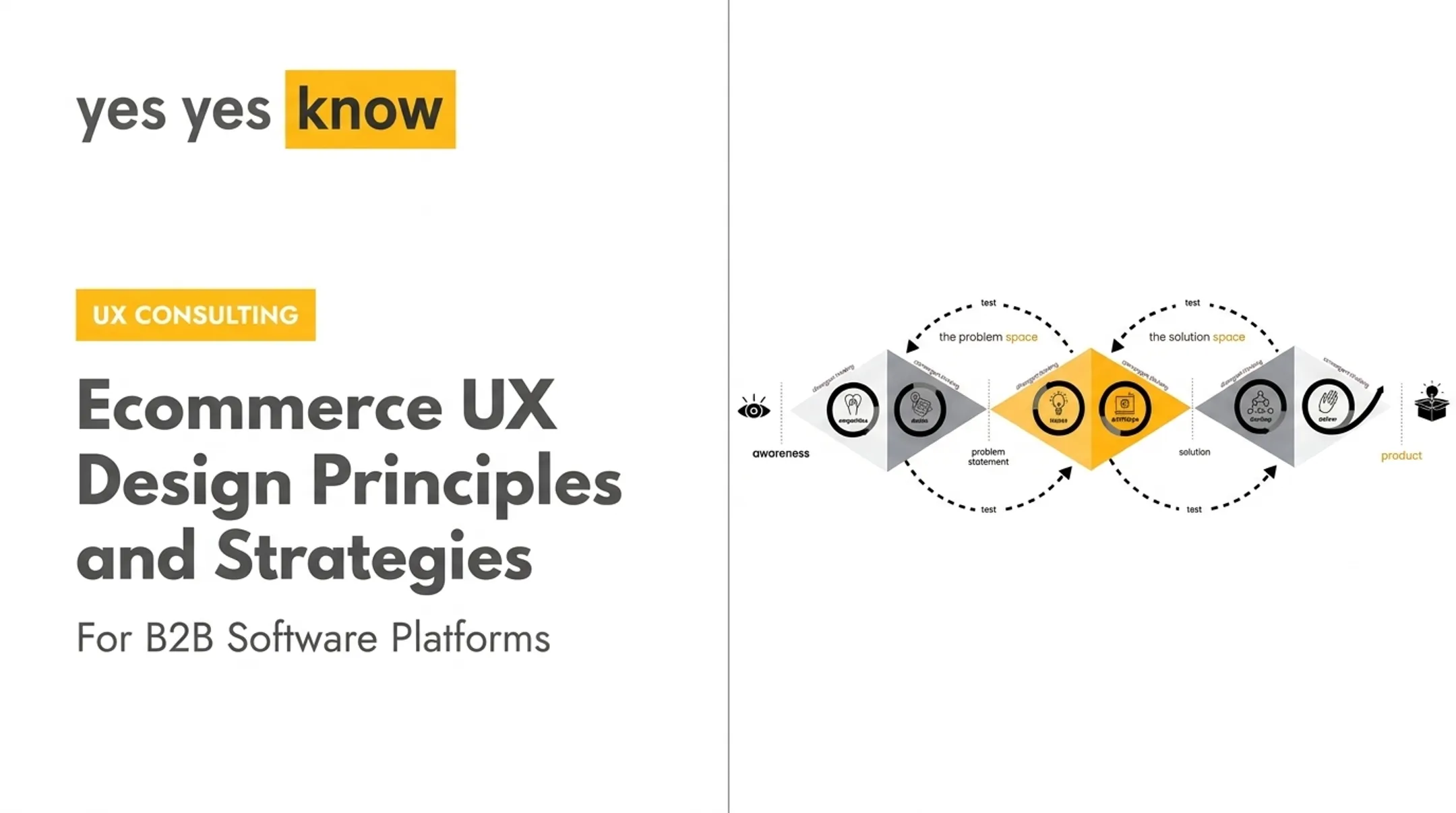
Yes Yes Know helps B2B software teams run this sequence end to end: audits, research, strategy, design, validation, development, and accessibility. Work moves through three iterative phases the team calls Understanding, Designing, and Building.

How to Measure, Maintain, and Improve the Strategy
A strategy that never gets revisited stops being a strategy. It becomes a document nobody reads.
Check whether it's shaping real decisions by reviewing:
- Roadmap alignment with stated priorities
- Research coverage against known risk areas
- Accessibility progress and outstanding issues
- Usability findings from recent testing
- Product behavior and usage trends
- Customer feedback and business outcomes
Combine leading indicators (validated assumptions, successful usability tests) with lagging indicators like adoption, retention, support demand, and revenue outcomes.
NN/g's benchmarking guidance recommends using consistent methodology across releases so comparisons over time actually mean something.
Keep stable principles in place, but update user insights, priorities, and roadmap assumptions whenever products, markets, or regulations shift.
Frequently Asked Questions
What are the 5 elements of user experience design?
Jesse James Garrett's model names five layers: strategy, scope, structure, skeleton, and surface. This describes how a single product gets built, unlike a UX strategy, which addresses organizational direction and priorities.
What are the 7 principles of UX design?
There's no single agreed list. UX teams most often cite the Seven Principles of Universal Design: equitable use, flexibility, simplicity, perceptible information, error tolerance, low physical effort, and appropriate size and space.
What is the 60/30/10 rule in UI/UX design?
It's a color-allocation heuristic: 60% dominant color, 30% secondary, 10% accent. It's a flexible visual guideline, not a UX or accessibility requirement. Contrast ratios under WCAG matter far more for usability.
What is the difference between UX strategy and UX design?
UX strategy sets direction, research priorities, and success measures. UX design is the hands-on work of building flows, structures, prototypes, and interfaces based on that direction.
What should a UX strategy document include?
It should cover product and user context, research evidence, a UX vision, guiding principles, goals, prioritized opportunities, a roadmap, team responsibilities, accessibility considerations, and success measures.
How do you measure the success of a UX strategy?
Measure success across user outcomes, usability and accessibility evidence, product behavior, customer feedback, and business results tied to the strategy's stated goals. No single metric is enough on its own.